The iPhone Dev-Team has released UltraSn0w 1.2.8 to bring unlock support for some older basebands on iOS 6.1.
MuscleNerd commented in twitter:
Version 1.2.8 is compatible with 6.1 main firmware
The iPhone Dev-Team has released UltraSn0w 1.2.8 to bring unlock support for some older basebands on iOS 6.1.
MuscleNerd commented in twitter:
Version 1.2.8 is compatible with 6.1 main firmware
The iPhone Dev-Team has released UltraSn0w 1.25 which brings iOS 5.0.1 support to the unlock for older compartible basebands.
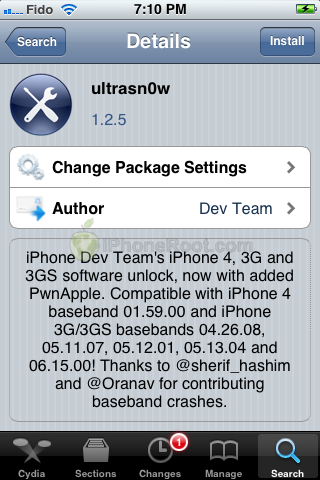
iPhone Dev Team’s , 3G, and 3GS software unlock, now with added PwnApple. Compatible with iPhone 4 baseband 01.59.00 and iPhone 3G/3GS basebands 04.26.08, 05.11.07, 05.12.01, 05.13.04 and 06.15.00! Thanks to @sherif_hashim and @Oranav for contributing baseband crashes
UltraSn0w 1.2.5 is now available in Cydia.
If you have one of the supported basebands and wish to update to iOS 5.0.1 you will need to do so with a custom ipsw that doesn’t update your baseband.
UPDATE: official ultrasn0w with iOS 5.0.1 !
This tutorial is for those users of locked iPhone 3GS and , who updated to iOS 5.0.1 and realized that ultrasn0w unlock doesn’t work there.
Indeed DevTeam have not updated software unlock utility ultrasn0w to work with the latest iOS 5.0.1. There are two workarounds, that will make ultrasn0w work on 5.0.1.
The iPhone Dev-Team has released an update to their UltraSn0w unlock bringing support for iOS 5. Remember that NO new basebands are supported in this release. It only adds support for iOS 5 with old basebands.
Here is the list of supported basebands:
If have one of the above baseband version and need unlock you can upgrade to iOS 5 without updating your baseband using .
Ultrasn0w 1.2.4 is available in Cydia.
UPDATE: Apple latest firmware is iOS 5.1.1. Apple has stopped signing all other firmwares, including iOS 5.0.1, iOS 4.3.3 and iOS 4.3.5. This means you can NOT restore to 5.0.1/4.3.3/4.3.5 any more (both original and custom), unless you have saved your SHSH keys for it.
If you have decided to perform an untethered jailbreak and unlock, you need to get the following information:
For iPhone 3G the latest is iOS 4.2.1. You can perform jailbreak with any utility. For iOS 4.2.1 you can also use them or GreenPois0n (Windows, Mac OS).
iPad 2 jailbreak is available only for iOS 4.3.3 via JailbreakMe and and iOS 5.0.1 via Absenthe.
iPhone 4S jailbreak is available for iOS 5.0 / iOS 5.0.1 via Absenthe.
Apple stopped signing iOS 4.3.3, so you cannot update to iOS 4.3.3 without SHSH keys saved (in advance some time ago). If you have , iPhone 3GS, iPad 1, iPod Touch 3G or iPod Touch 4G that run iOS 4.3.3 – use JailbreakMe or RedSn0w to untether jailbreak your device.
If you have saved SHSH keys for iOS 4.3.3 you can use PwnageTool (Mac OS) or Sn0wBreeze (Windows).
For iOS 4.3.4/4.3.5 only tethered jailbreak is possible with redsn0w. Tethered means that each time you restart your device you will have to connect it to a computer and run redsn0w. The untethered iOS 4.3.5 jailbreak is possible only for iPhone 3GS with old bootrom. You can detect your bootrom version using .
To jailbreak and unlock iOS 5 use latest version of redsn0w 0.9.9 or sn0wbreeze 2.8. You can jailbreak tethered or .
The untethered iOS 5 jailbreak is possible only for iPhone 3GS with old bootrom. You can detect your bootrom version using .
For iPhone 4/3GS, iPad 1, iPod Touch 3G/4G an untethered jailbreak is available for iOS 5.0.1. For untethered jailbreak use the latest redsn0w 0.9.10 or Corona – package from Cydia to untether currently installed tethered jailbreak.
Tutorial how to untether installed tethered jailbreak is available .
For iPhone 4S and iPad 2 use Absenthe.
For tethered iOS 5.0.1 jailbreak you an use redsn0w 0.9.9 and sn0wbreeze 2.8.
For now only tethered jailbreak is available for iPhone 4/3GS, iPad 1 and iPod Touch 3G/4G for iOS 5.1 and iOS 5.1.1.
You can download all firmwares .
Here are our step-by-step tutorials that will guide you through the jailbreak process:
 iPhone 4S
UnTethered jailbreak iOS 5.0 / iOS 5.0.1:
 iPhone 4
Tethered jailbreak iOS 5.1.1:
Tethered jailbreak iOS 5.1:
UnTethered jailbreak iOS 5.0.1:
Semi-Tethered jailbreak iOS 5:
Tethered jailbreak iOS 4.3.5:
UnTethered jailbreak iOS 4.3.3:
Good news from DevTeam. They just announced via twitter that unlock for firmwares 3.1.3 and 4.0 is ready:
RT @MuscleNerd: ultrasn0w tips: 1) Works for all basebands since 3.0 FW 2) Remember to disable 3G on T-Mobile USA
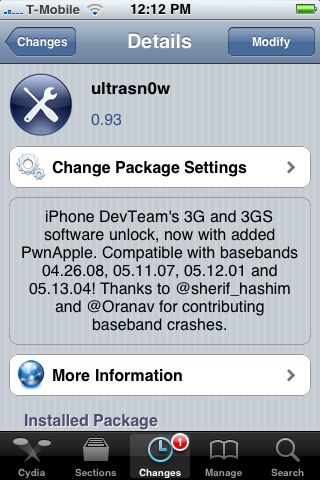
ultrasn0w 0.93 released! Cydia repo is repo666.ultrasn0w.com. Works with basebands 04.26.08 thru 05.13.04
This means, that all users with basebands 04.26.08, 05.11.07, 05.12.01 and 05.13.04 can use ultrasn0w 0.93.
There is no jailbreak for , so you need to wait a bit. Firmware 3.1.3 who need unlock can update ultrasn0w and use their iPhones with any carrier.
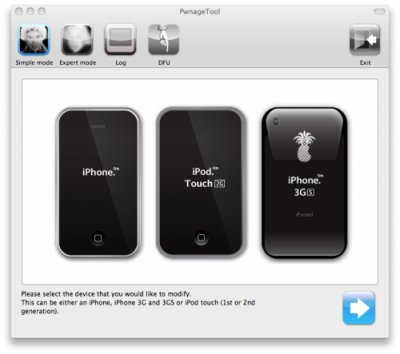
The iPhone Dev-Team has released PwnageTool 3.1.5 for Mac OS X. It allows iPhone and iPod Touch users to safely upgrade to firmware 3.1.3. With PwnageTool you can preserve jailbreak and ultrasn0w unlock. But if you’re using the blacksn0w unlock with baseband 05.11.07 you will need to stay at firmware 3.1.2.
PwnageTool 3.1.5 creates a custom 3.1.3 IPSW for the following devices:
Warning! Don’t try to use this tool if you have iPhone 3GS with firmware 3.1.3 – it just won’t work. If you have iPod Touch 1G, iPhone 2G or factory unlocked iPhone 3G , try to use redsn0w – is would be much easier.
You can download PwnageTool 3.1.5. here.
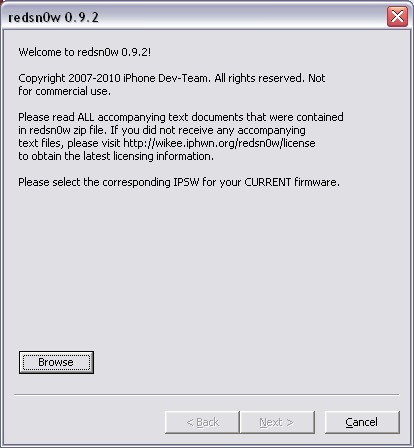
Redsn0w is a cross-platform jailbreaking tool for iPhone and iPod Touch. New version redsn0w 0.9.2 supports the latest firmware 3.1.2.
redsn0w 0.9.2 supports:
We expect to see Linux version quite soon.
If you need a carrier unlock, redsn0w will handle iPhone 2G by itself (by installing the BootNeuter utility). For the iPhone 3G and iPhone 3GS use Cydia after you’re jailbroken to install ultrasn0w (baseband 04.26) or blacksn0w (baseband 05.11).
If you have a late-model iPhone 3GS, or if you have an iPod touch 2G whose serial number begins with “MC” (newer than week 40 of last year), or any iPod touch 3G, you can use redsn0w to jailbreak but you are currently restricted to “tethered” rebooting. That means you need to connect your device to a computer each time you boot it – so just try no to reboot.
You can download the latest version of redsn0w here.
Redsn0w is a cross-platform jailbreaking, unlocking, and customizing tool for iPhone and iPod Touch. New version redsn0w 0.9b3 supports the latest firmware 3.1.2. The most recent release before this one was redsn0w 0.8, which targeted Apple firmware 3.0/3.0.1.
redsn0w 0.9 beta3 supports:
When it’s out of beta, it will support the iPod touch 3G, PPC OSX, and Linux.
If you need a carrier unlock, redsn0w will handle iPhone 2G by itself (by installing the BootNeuter utility). For the iPhone 3G and iPhone 3GS use Cydia after you’re jailbroken to install ultrasn0w (baseband 04.26) or blacksn0w (baseband 05.11).
If you have a late-model iPhone 3GS, or if you have an iPod touch 2G whose serial number begins with “MC” (newer than week 40 of last year), you can use redsn0w to jailbreak but you are currently restricted to “tethered” rebooting. That means you need to connect your device to a computer each time you boot it – so just try no to reboot.
You can download redsn0w 0.9b3 here.
Geohot has released his BlackSn0w utility. BlackSn0w is an unlock for the iPhone 3G and iPhone 3GS. It supports the latest firmware 3.1 and 3.1.2 with baseband 05.11.07 and enables official tethering. Available for both Windows and Mac.
Here is a quick tutorial:
If you havn’t done the jailbreak: go to , download blackra1n, run it, follow the instructions (it is really simple) to perform the jailbreak. Run balckra1n app on iPhone and install BlackSnow.
If your device is already jailbroken – run Cydia, add repository blackra1n.com and install blacksn0w. That’s it!
The latest version of blackra1n is RC3. It now has hacktivation support, 15 second speed improvement, Tiger+PPC support.
PS: If you just bought a new iPhone 3GS or have one that was made recently (approximately after 40th week after iPhone 3GS release): your device has a new BootROM. Unfortunately it is impossible to run regular jailbreak with this new BootROM. There is a sloution – tethered jailbreak. Everything including unlock will work fine. However every time you restart your iPhone, you need to plug it to a computer with blackra1n installed.