DevTeam | Jailbreak iPhone, iPod Touch, iPad - Part 7 Skip to content

Jailbreak iPhone, iPod Touch, iPad

новости про джейлбрейк iPhone, iPod Touch и iPad

Archive

Tag: DevTeam

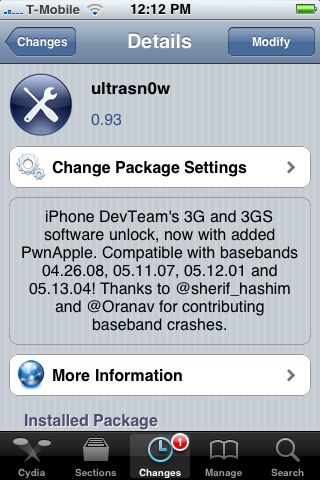
ultrasn0w 093 UltraSn0w 0.93: unlock for firmware 3.1.3 and even 4.0

Good news from DevTeam. They just announced via twitter that unlock for firmwares 3.1.3 and 4.0 is ready:

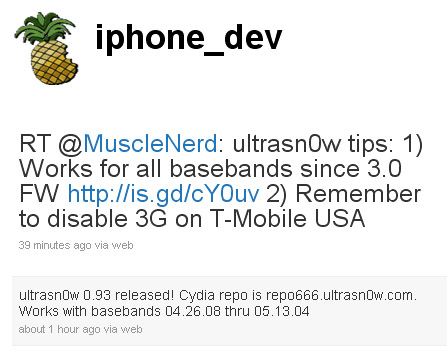
RT @MuscleNerd: ultrasn0w tips: 1) Works for all basebands since 3.0 FW 2) Remember to disable 3G on T-Mobile USA

ultrasn0w 0.93 released! Cydia repo is repo666.ultrasn0w.com. Works with basebands 04.26.08 thru 05.13.04

This means, that all users with basebands 04.26.08, 05.11.07, 05.12.01 and 05.13.04 can use ultrasn0w 0.93.

There is no jailbreak for just released iOS4, so you need to wait a bit. Firmware 3.1.3 who need unlock can update ultrasn0w and use their iPhones with any carrier.
ultrasn0w devteam UltraSn0w 0.93: unlock for firmware 3.1.3 and even 4.0

Hacker msftguy created unofficial PwnageTool which allows to upgrade to the pre-release of iOS 4.0 GM while keeping your jailbreak and old baseband.

This is not an official release by Devteam, so we recommend to wait for the final versions of both iOS 4.0 and PwnageTool.

For the advanced users who want to experiment here is a link.

Msftguy also provided a video:

redsn0w095b4 306x400 RedSn0w 0.9.5 Beta4 can jailbreak iOS 4.0 GM

Apple recentrly released new version of iPhone OS 4. it is called iOS 4.0 GM. Here is an update from DevTeam about iOS 4 jailbreak:

For those who can legitimately activate to the iPhone3G 4.0GM seed, the “point to previous IPSW” redsn0w trick works and will jailbreak your 4.0GM. The “trick” is to point redsn0w at the 4.0beta4 IPSW instead of 4.0GM (do this after you’ve updated to 4.0GM and activated through the new iTunes 9.2 on your Mac). Since the carrier unlocks aren’t yet supported at 4.0, don’t do this if you use yellowsn0w/ultrasn0w/blacksn0w. Many JB apps are still pretty buggy in 4.0, so again this is mostly useful only for developers of those JB apps.

Note: If you’re experiencing MobileSafari crashes, double check that you’re running the version at the bottom of this page.

For those without legit iPhone3G 4.0GM seed access, please wait until the full public 4.0 release for updates to the jailbreak tools.

You can download redsn0w 0.9.5.b4 here.

spirit jailbreak JailBreak for iPad is Finally Available!

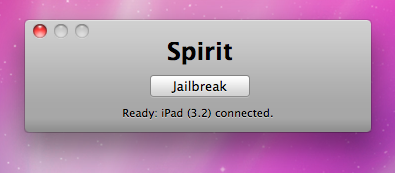
Finally the jailbreak for iPad, iPhone and iPod Touch from the Dev Team is available for download. It’s free and untethered and it’s called “Spirit”. The jailbreak supports every iDevice with firmware version 3.1.2, 3.1.3 or 3.2.

If you have iPhone 3GS or an iPad you should backup your SHSH blobs before using the jailbreak. ECID SHSH or SHSH blob is a unique signature given to every Apple mobile device. When you decide to restore the firmware on your iPhone, iPod Touch or iPad, Apple servers checks this signature.

As you know, if a new firmware is released it becomes impossible to restore the older firmware from iTunes. But Cydia creator tuned up a new server and now it mimics Apple’s verification server and saves your older SHSH blobs so that you can restore back your device to the older firmware. Without having your SHSH blobs saved you may accidentally update new firmware and then you not only lose your jailbreak but also won’t be able to restore the older firmware to re-jailbreak your device.

This is also important because there is a big possibility that Apple will soon find out what exploit is used by the jailbreak and then it will be patched in the form of new firmware.

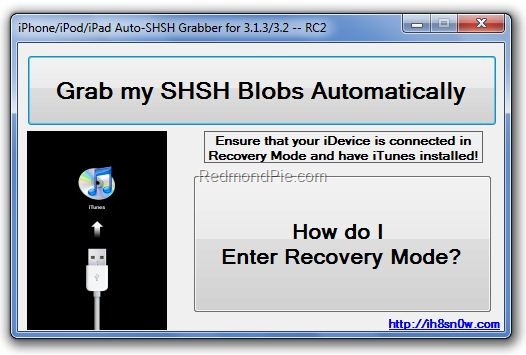
You can save your SHSH blob in three ways. Here is a guide to make it using AutoSHSH.

  1. Download AutoSHSH. (Latest version is here).
  2. SHSHBlobs JailBreak for iPad is Finally Available!

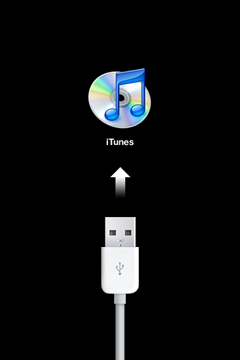
  3. Start AutoSHSH and plug in you iPhone/iPod Touch/iPad in recovery mode (only one device at a time). Recovery mode launches when you turn off your device and hold down the “Home” button when connecting the USB cable. Then you must see “Connect to iTunes” message and logo on your device.
  4. TS1275 JailBreak for iPad is Finally Available!

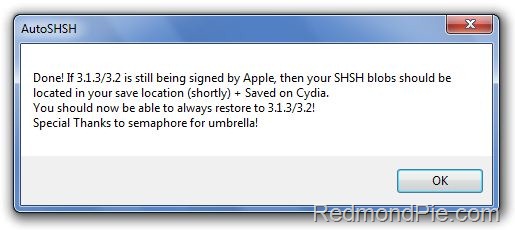
  5. In AutoSHSH click on “Grab my SHSH Blobs Automatically”. When the app will grab the signature you must choose whether you want to save it locally or not. Do not forget where you saved the signature. In the end of the procedure AutoSHSH will also upload it to saurik’s server.
  6. SHSHBlobs1 JailBreak for iPad is Finally Available!

If you have some problems with using AutoSHSH to save your blobs, write it in comments or try saurik’s method or Firmware Umbrella instead.

Now, when you saved you SHSH blobs, you can make the jailbreak. It is recommended for you to sync your device with iTunes beforehand. Then use the following guide:

  1. Download “Spirit” (link for Windows, link for Mac OS X).
  2. Plug in your device (it will be instantly recognized).
  3. Hit the “Jailbreak” button.

That’s all!

Additionally here is a video tutorial for jailbreaking:

Please note that Spirit is not a carrier unlock so it won’t allow you to use unauthorized wireless carriers. The jailbreak is also “sort of beta”, so it may be buggy. DevTeam notifies that some apps in Cydia that are NOT designed for iPad may crash your system and require you to restore so be careful.

iPad Console

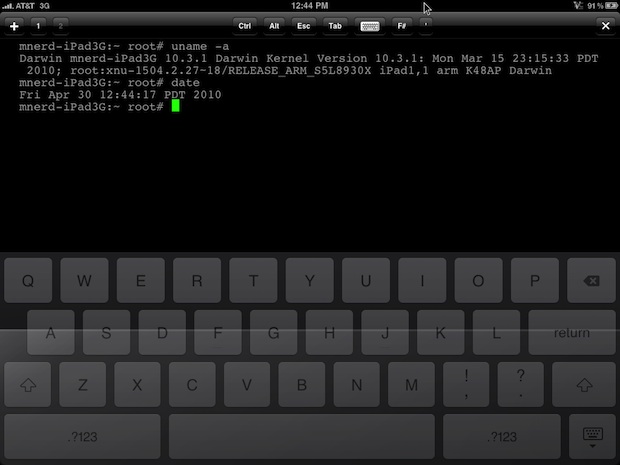
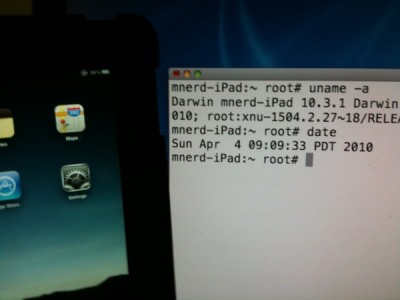
Wow! Hours after iPad 3G sales launch and it has already been jailbroken! Below is a video of MuscleNerd where jailbroken iPad 3G runs Cydia.

MuscleNerd used the jailbreak called “Spirit”. It’s a tool that makes untethered unlock of iPad, iPod Touch 3G and iPhone 3GS and DevTeam promises it will be available soon. Stay tuned for further instructions how to save your SHSH Blobs and then use Spirit to jailbreak your device.

ipad jailbreak 400x300 Apple iPad was hacked: here is a jailbreaking video

That didn’t take long. In less than 24 hours hackers managed to jailbreak Apple iPad, to get a root access to a file system. The first video of a jailbreaked iPad was recently published by Musclenerd, famous hacker from DevTeam. This was a team work of Musclenerd, chronicdevteam, comex and chpwn.

Watch the video:

unlock iphone 313 A bug in iPhone Safari will allow the firmware 3.1.3 jailbreak

Recently MuscleNerd, the member of DevTeam, reported the presence of an interesting security bug in Safari for the iPhone. It will probably allow a quick remote jailbreak of iPhone or iPod Touch simply by connecting the device to an external website created for this purpose.

The bug was discovered by two hackers Ralph Phillip and Vincenzo Iozzo, who won the prize of $15 000 during CanSecWest. Their initial idea was to use a web portal to do the exploit of the SMS database and retrieve it’s content.

iphones no att 400x380 Apple now offering iPhones contract free

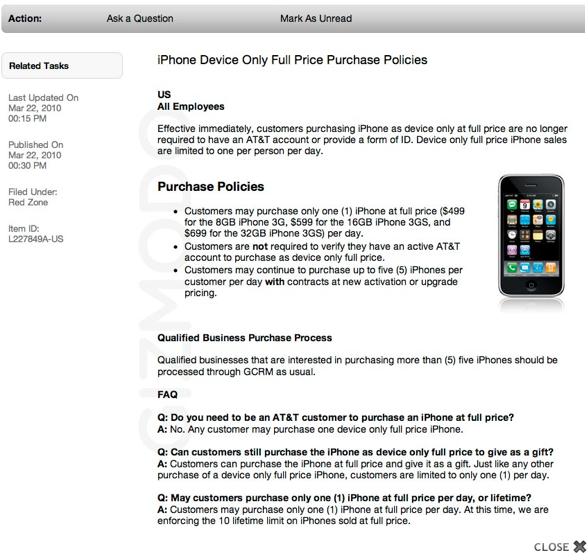
Today Apple began selling iPhones without AT&T plan. Apple’s new policy is that anyone can walk into an Apple Store and pick up an iPhone 8GB for $499, 16GB for $599 and 32GB for $699. They allow one unit per customer per day, up to 10 iPhones.

The iPhones are still locked to AT&T’s network. Of course, these devices will be sold with the latest baseband which is not yet unlockable; however, you can use RedSn0w to perform a tethered jailbreak.

sn0wbreeze Sn0wbreeze 1.5.2: new version of jailbreak utility for Windows

iH8sn0w has just released a new version of Sn0wbreeze, the Windows tool that allows you to jailbreak Firmware 3.1.3. This is a small update that fixes a problem that occurs only on 64bit operating system.

You can download the new sn0wbreeze 1.5.2 here.

We still recommend to use DevTeam utilities – RedSn0w (Windows and MAC OS) and PwnageTool (MAC OS only).

The number of jailbreak utilities for iPhones and iPod Touches with the latest iBoot is dramatically increasing. All of them are FAKE. Some of them will fill your computer with viruses, which is not good.

gull1hack, spartanbr3ak, br0k3n_appl3 are just some of these new programs that in one way or another deceive the user and then run malicious code. We therefore ask you to stay away from ANY such software. Some time in the future GeoHot or DevTeam will release new jailbreak and unlock software. Other than that is fake and dangerous. Install only programs you trust or the ones recommended by iPhoneRoot.

Here is a twitter comment from DevTeam:
iph dev fake jb Attention: fake jailbreak utilities might have viruses