Take a Look at the video demonstration of the new Comex iOS 4.3.3 jailbreak on Apple iPad 2:
Here’s another video showing jailbreak:
Take a Look at the video demonstration of the new Comex iOS 4.3.3 jailbreak on Apple iPad 2:
Here’s another video showing jailbreak:
Today Comex has officially released the new web-based jailbreak for iOS 4.3.3. It supports all devices including iPad 2.
The jailbreak uses a PDF exploit similar to old JailbreakMe and does not require your device to be connected to the computer.
To jailbreak, navigate to on your iOS device after updating to iOS 4.3.3 (if you do not need unlock). We will be posting detailed instructions shortly.
Here is the list of devices and iOS versions that are supported:
Step by step JailbreakMe tutorials:
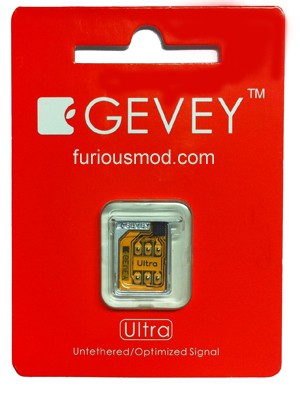
Gevey has released a new hardware unlock for called Gevey Ultra SIM.
The main difference compared to the old Gevey unlock method is that you don’t have to dial 112. dialing 112/911 and hanging up is illegal in most countries, now this problem is gone.
Gevey Ultra works with
Some sources claim that Gevey Ultra works even with the latest iOS 5 beta 1.
If you have 01.59 baseband you can still use free software ultrasn0w unlock. For everything else -- just buy Gevey Ultra for $35 .
The installation is simple, but requires jailbreak. Good luck iOS 4.3.3 is jailbreakable. See our jailbreak instructions here (Mac OS) and here (Windows).
Take a look at the Gevey Ultra video demo:
Hacker iH8Sn0w released Sn0wBeeze 2.8 beta 2 with ability to perform untethered jailbreak of the old bootrom iPhone 3GS on iOS 5.0b1. For other devices the jailbreak is still tethered.
Sn0wBreeze is a Windows application that creates a custom ipsw with jailbreak. It also preserves your baseband if you need unlock, but UltraSn0w has not yet been updated to work with iOS 5.
You can download Sn0wBeeze 2.8 beta 2 .
MuscleNerd recently Tweeted that iOS 5 beta 1 jailbreak is already available. DevTeam released Redsn0w 0.9.8 b1.
For now the jailbreak is tethered (you have to run redsn0w each time you reboot) and available for Mac OS X only. It will not activate your device, so you need have registered UDID. iPhone 3GS users with 06.15 baseband: redsn0w will get you past the iTunes restore error. This redsn0w will probably work on future versions of iOS 5.
Redsn0w 0.9.8 b1 works with iOS 5 b1 on (GSM / CDMA), iPhone 3GS, iPod Touch 3G, iPod Touch 4G, iPad 1.
This is mostely for developers of Cydia apps. Most tweaks and Cydia applications do not work on iOS 5.
You can download Redsn0w 0.9.8 b1 .

Apple recently released iOS 5 beta and iTues 10.5 beta. It is available only for Apple registered developers. But you can try it too. Remember that you do it at your own risk. Below you will find iOS 5 download links for iPhone 3GS, , iPod Touch 3G, iPod Touch 4G, iPad 1, iPad 2, Apple TV 2G and download links to iTunes 10.5 Mac and Windows.
Keep in mind that your iDevice will need to be activated, your UUID needs to be registered in Apple. Installing iOS beta on a non-activated device will render it useless. If you need help with registering UUID – write us, we will try to help..
Remember that currently there is no jailbreak for iOS 5 released.
You can download iOS 5.0 beta 1 and iTunes 10.5 beta .
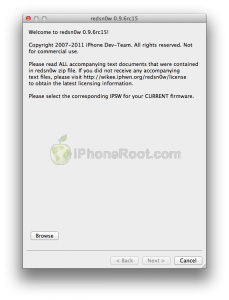
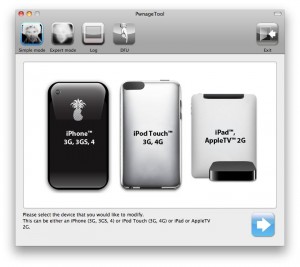
DevTeam released the untethered jailbreak for the latest iOS 4.3.3 – utilities RedSn0w 0.9.6 rc15 and PwnageTool 4.3.3.
The 4.3.3 untether works on all Apple devices that support 4.3.2 except for the iPad2:
Redsnow is easy to use, it is available for Windows and Mac OS. As usual for unlockers – do not update to 4.3.3, use PwnageTool (MAC) and Sn0wBreeze (Windows) to preserve the baseband.
You can download RedSn0w 0.9.6 rc15 .
You can download PwnageTool 4.3.3 .
Ultrasn0w was also updated to support old baseband on new iOS 4.3.3. Ultrasn0w 1.2.3 (for unlockers with old baseband) is available in Cydia.
New tutorials for iOS 4.3.3 are ready:
RedSn0w 0.9.6 rc16 (Windows)
RedSn0w 0.9.6 rc16 (Mac OS)
PwnageTool 4.3.3.1 (Mac OS)
Sn0wBreeze 2.7.3 (Windows)

DevTeam released the untethered jailbreak for the latest iOS 4.3.2 – RedSn0w 0.9.6 rc14.
The 4.3.1 untether works on all Apple devices that support 4.3.2 except for the iPad2:
Redsnow is easy to use, it is available for Windows and Mac OS. As usual for unlockers – do not updaate to 4.3.1, wait for PwnageTool and Sn0wBreeze.
You can download RedSn0w 0.9.6 rc14 .
New tutorials are on it’s way. For now you can still use our tutorials for iOS 4.3.1. Just download iOS 4.3.2 , update in iTunes, point redsn0w to it, everything else is the same:
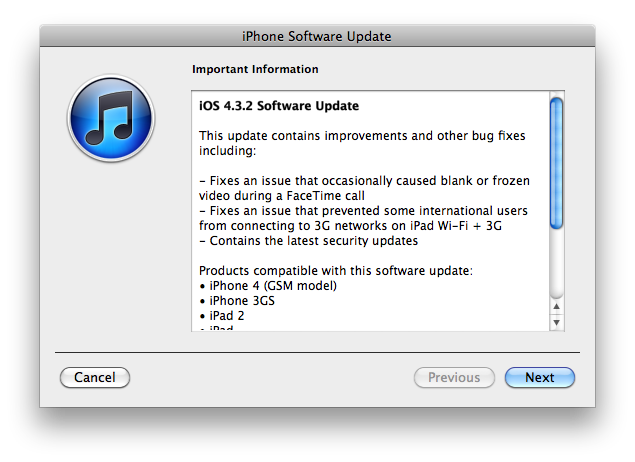
Apple has released iOS 4.3.2 for the iPhone, iPad, and iPod touch.
This update contains improvements and other bug fixes including:
Products compatible with this software update:
For information on the security content of this update, please visit .
Apple has also updated the firmware for the Verizon iPhone to 4.2.7 although this wasn’t listed in the release notes.
Current jailbreak tools work with iOS 4.3.2 in tethered mode only. Please save your SHSH keys for iOS 4.3.1 asap.
Here are direct download links for the latest firmwares:
| device | current version | date found |
|---|---|---|
| AppleTV(2G) (AppleTV2,1) | 03/22/2011 16:12:01 | |
| iPad (iPad1,1) | 04/14/2011 13:06:02 | |
| iPad2,1 (iPad2,1) | 04/14/2011 13:06:02 | |
| iPad2,2 (iPad2,2) | 04/14/2011 13:06:02 | |
| iPad2,3 (iPad2,3) | 04/14/2011 13:06:02 | |
| iPhone (iPhone1,1) | 04/08/2010 21:05:48 | |
| iPhone3G (iPhone1,2) | 11/22/2010 13:08:57 | |
| iPhone3GS (iPhone2,1) | 04/14/2011 13:06:02 | |
| iPhone4 (iPhone3,1) | 04/14/2011 13:06:02 | |
| iPhone4(vz) (iPhone3,3) | 04/14/2011 13:06:02 | |
| iPodTouch(2G) (iPod2,1) | 11/22/2010 13:08:57 | |
| iPodTouch(3G) (iPod3,1) | 04/14/2011 13:06:02 | |
| iPodTouch(4G) (iPod4,1) | 04/14/2011 13:06:02 | |
| last updated: 04/14/2011 13:14:02 EDT | ||
iH8sn0w updated their iOS 4.3.1 untethered jailbreak utility – released Sn0wBreeze 2.5.1.
They have added
Sn0wBreeze is used to create custom firmwares with jailbreak and preserve iPhone baseband. It is available for Windows only.
You can download Sn0wBreeze 2.5.1 .
Here’ official changelog.
————————————————————————-
sn0wbreeze 2.5.1 Change-log:
————————————————————————-
* Cydia 1.1.1 is now pre-installed.
* iPhone 3GS users can now flash the iPad 06.15.00 baseband.
* Animate (Animated Boot Logos) by the Chronic Dev-Team is now supported.
* Added afc2
* Apple TV 2 is now fully supported.
* Added Apple TV 2 DFU Instructions.
* YouTube issues resolved on hacktivated devices.
* iPhone 3GS old-bootrom issues fixed (Error 37).
————————————————————————-
ULTRASN0W USERS:
————————————————————————-
There is a temp. fix available on Pushfix’s Cydia repo (http://cydia.pushfix.info)
for getting ultrasn0w to work on preserved basebands on 4.3.1.
[It does not fix the iPhone 4 single bar issue though!]
————————————————————————-