Bug | Jailbreak iPhone, iPod Touch, iPad - Part 5 Skip to content

Jailbreak iPhone, iPod Touch, iPad

новости про джейлбрейк iPhone, iPod Touch и iPad

Archive

Tag: bug

absinthe jailbreak Absinthe Jailbreak Utility Updated to v0.3, Released for Linux

The Chronic Dev-Team has released an update to their Absinthe jailbreak utility for iPhone 4S and iPad 2. So users who failed to jailbreak can try with new version Absinthe 0.3. Chronic Dev-Team also released a version for Linux users.

@pimskeks announced the release over Twitter:

Linux version (x86/x86_64) of #Absinthe #A5 #jailbreak is done!

Also version 0.3 of #Absinthe #A5 #jailbreak is available for OSX and Windows. Nothing really new, so no need to re-apply :-)

#Absinthe 0.3 only has some cosmetic changes, and a potential bug fix for win32 (only really few people seem affected)

You can download Absinthe for Windows, Mac OS X and Linux from here.

Here are our step-by-step tutorials:
pwned Jailbreak for iPad 2 and iPhone 4S: latest news, updates and FAQ

The iPhone 4S and iPad 2 jailbreak utilities are undergoing testing and polishing before the public release. According to ‘Dream Team’ member planetbeing:

We’re testing & fixing problems with the jb app (that @pimskeks finished the majority of at incredible speed). Still needs to be polished.

P0sixninja also tweeted it should not be much longer before the jailbreak gets released.

not much longer now

We hope to see the utilities soon, because more than a week ago there were tweetes that jailbreak should have been ready in few days.

iPhone Dev Team has posted a blog entry about upcoming public release. If you have iPad 2 or iPhone 4S go ahead and read it:

But we’re now near the final stages of testing the public version of the jailbreak.  Please allow time to clean up any remaining bugs in the jailbreak clients.Jailbreak programs:

To be as flexible as possible, the A5 version of the corona jailbreak will take multiple forms:

  • Chronic Dev have incorporated the overall flow into a GUI that runs on your Mac or PC.  The goal is for the GUI to be enough for most cases.
  • iPhone Dev have also incorporated the exact same flow into an alternative command-line interface (CLI). This will allow us to help users through individual steps of the jailbreak manually, to both help the user and help improve the overall flow.  Although the CLI will also allow the user to perform the entire jailbreak from beginning to end, we anticipate it will be more useful in debugging the occasional errors.  The CLI currently has over 20 individual options (in addition to the single “jailbreak” option) that should be useful during debug after the GUI release.
  • Once all the bugs in the flow are worked out, we’ll also incorporate it into the redsn0w GUI (but still leave the CLI freely available too).  In order to maximize the chances of the jailbreak working for everyone, the redsn0w GUI will use native Apple iTunes libraries — this technique is slightly different than how the Chronic Dev GUI handles communications, and should provide nice combined coverage for all the odd computer configurations out there.

Firmware:

The supported firmware versions will be:

  • iPhone4S: 5.0 (9A334), 5.0.1 (9A405) and the “other” 5.0.1 (9A406)
  • iPad2: 5.0.1 (9A405)

iPhone4S owners looking to maximize their chances of achieving an eventual software-based carrier unlock should be staying at 5.0. Everyone else should be at 5.0.1.  If you’re an iPhone4S owner who already updated to 5.0.1, it’s too late to go back down to 5.0, but if you’re on 9A406 it is possible to downgrade the BB by going to the 9A405 version of 5.0.1 while the window is still open.

Support:

The overall flow used by the GUI and CLI to inject the A5 corona jailbreak has never been done before, and there may be unforeseen problems once it’s released to the public.  It’s very important for you to sync your data, photos, and music before attempting any version of this jailbreak.  We’ll be watching the comments section below for signs of any widespread problems, but please be aware that you jailbreak at your own risk!

When:

As mentioned at the start of this post: when testing has shown most of the bugs have been fixed!

Untethered jailbreak for iOS 5.0.1 has already been released. While there is no reason not to update to iOS 5.0.1, there might be some users who would like to stay on iOS 5 and have untethered jailbreak there too.

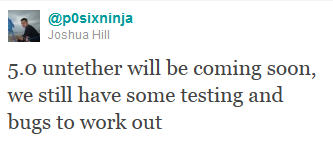
Famous hacker Joshua Hill (nickname p0sixninja) has recently posted via twitter that an untethered jailbreak for iOS 5 will be released soon after testing.

@p0sixninja: 5.0 untether will be coming soon, we still have some testing and bugs to work out

ios5 untether iOS 5 untethered jailbreak will be released a bit later

noupdate501 Jailbreakers and unlockers: dont update to iOS 5.0.1

Apple has recently released iOS 5.0.1. It is still tethered jailbreakable. However if you want untethered jailbreak or unlock – you should stay away from 5.0.1

Earlier this week pod2g reported that a code signing bug found in iOS 5.0 will make it easier for hackers to develop a full jailbreak for iOS 5 firmware version. That bug might have been closed in iOS 5.0.1. UPDATE: According to pod2g the bug is still present, but harder to exploit because another exploit found by Charlie Miller is fixed in iOS 5.0.1.

Also, MuscleNerd via twitter has warned iOS users that there is no downgrade from iOS 5.0.1 to iOS 5.0 yet and he recommends to wait until downgrade mechanism is available.

Jailbreakers and unlockers should avoid today’s 5.0.1 until a flow for downgrading to 5.0 is developed.

Downgrade flow needs to be modified for AP “nonce” http://is.gd/b3G0io … saved SHSH blobs are not enough to downgrade to 5.0

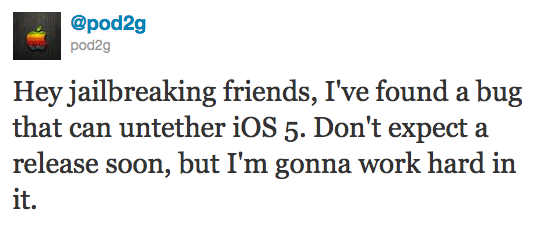
Famous hacker Pod2g has recently announced that he discovered a bug that can untether the iOS 5 jailbreak! He posted via twitter:

Hey jailbreaking friends, I’ve found a bug that can untether iOS 5. Don’t expect a release soon, but I’m gonna work hard in it.

Pod2g has found many vulnerabilities in the past including famous SHAtter.

ios5 untether Pod2g found vulnerability to untether jailbreak iOS 5

redsn0w 099b1 336x400 RedSn0w 0.9.9b1: Major Update to Jailbreak Utility redsn0w 099b1 extra 336x400 RedSn0w 0.9.9b1: Major Update to Jailbreak Utility

MuscleNerd has announced via Twitter that jailbreak utility RedSn0w 0.9.9b1 is released with major update and numerous new features:

Major improvements and features added to redsn0w 0.9.9b1! See update #9 at http://is.gd/6eek4Y Feedback: @redsn0w_testers

Indeed the list of new features is quite high. There are two main ones:

  • There is no need to download firmware any more. There is no need to push Browse IPWS button any more (but you still can).
  • Developers added lots of functionality to work with SHSH keys (extract, submit, download, verify, stitch etc)

However this new version does not bring features like untethered jailbreak for iOS 4.3.5 or iOS 5.

Due to some possible bugs we still recommend to use the old RedSn0w 0.9.8b7b, but the new 0.9.9b1 is worth seeing and playing with.

Here are links to our RedSn0w 0.9.8b7b iOS 4.3.5 jailbreak tutorials:

You can download RedSn0w 0.9.9b1 here:

Here is the full list of features from DevTeam:

Update #9: A bunch of new features!

  • uses DFU mode to try to automatically determine which device and FW you have
  • fetches pieces of public IPSWs from Apple (once).  Non-public IPSWs must be provided manually (once).  It then caches those pieces for future use.
  • Just boot” is a tethered boot.  Uses whatever “Preferences” you’ve set for boot logo and kernel boot-args
  • Pwned DFU” puts your device in a pwned DFU state for some of the iTunes stuff detailed below
  • Recovery fix” gets past 1015 types of errors (when baseband portion of restore fails).  Should work on iOS5 beta too
  • Select IPSW” is for picking non-public IPSWs, or overriding auto-detection
  • SHSH blobs” has a bunch of options…
    • Fetch” – fetch current PARTIAL blobs on device.  Should complete in under 10 or 15 seconds.  Puts the set of PARTIAL of blobs on your computer as a plist.  Checks if Cydia already has a full set for this device and build.  If not, it submits this PARTIAL set and returns Cydia’s acknowledgement or rejection
    • Verify”  – cryptographically verifies existing blob files from either redsn0w, TinyUmbrella, or Cydia server.  You can select a whole bunch of blobs to verify at once if you want (like the TinyUmbrella directory)
    • Submit”  – both verifies and submits one or more blob files to Cydia.  This lets you copy your entire TinyUmbrella cache of blobs up to the Cydia server
    • Query” - queries the Cydia server for all available FULL or PARTIAL blobs for a given set of ECIDs
    • Stitch” – stitches either FULL or PARTIAL blobs to a STOCK or CUSTOM IPSW
  1. Stitching is NOT yet supported on iPhones! Need to work out the baseband part of the restore process.
  2. FULL blobs stitched to a STOCK IPSW gives you a completely self-contained signed IPSW that iTunes will accept without any tricks (no need to go into pwned DFU mode, no need to start TinyUmbrella TSS server, no need to redirect to Cydia server for blobs)
  3. PARTIAL blobs stitched to any IPSW requires you to go into pwned DFU mode before running iTunes.  No need to start TU or use Cydia though.
  4. Stitching either FULL or PARTIAL blobs to a CUSTOM IPSW also requires a pwned DFU start before iTunes restores.  No need to start TU or use Cydia though./li>
  5. Will eventually support fetching the blobs directly from Cydia instead of a file on your computer

ios432 Apple released new firmware iOS 4.3.2

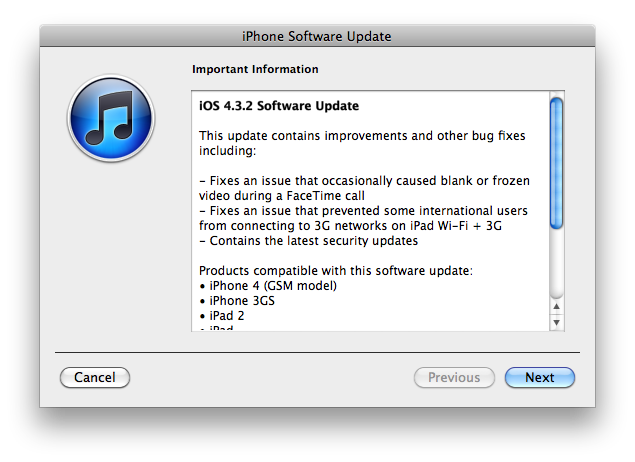
Apple has released iOS 4.3.2 for the iPhone, iPad, and iPod touch.

This update contains improvements and other bug fixes including:

  • Fixes an issue that occasionally caused blank or frozen video during a FaceTime call
  • Fixes an issue that prvented some international users from connecting to 3G networks on iPad W-Fi + 3G
  • Contains the latest security updates

Products compatible with this software update:

  • iPhone 4 (GSM model)
  • iPhone 3GS
  • iPad 2
  • iPad
  • iPod touch (4th generation)
  • iPod touch (3rd generation)

For information on the security content of this update, please visit http://support.apple.com/kb/HT1222.

Apple has also updated the firmware for the Verizon iPhone to 4.2.7 although this wasn’t listed in the release notes.

Current jailbreak tools work with iOS 4.3.2 in tethered mode only. Please save your SHSH keys for iOS 4.3.1 asap.

Here are direct download links for the latest firmwares:

device current version date found
AppleTV(2G) (AppleTV2,1) 4.2.1 (8F202) 03/22/2011 16:12:01
iPad (iPad1,1) 4.3.2 (8H7) 04/14/2011 13:06:02
iPad2,1 (iPad2,1) 4.3.2 (8H7) 04/14/2011 13:06:02
iPad2,2 (iPad2,2) 4.3.2 (8H7) 04/14/2011 13:06:02
iPad2,3 (iPad2,3) 4.3.2 (8H8) 04/14/2011 13:06:02
iPhone (iPhone1,1) 3.1.3 (7E18) 04/08/2010 21:05:48
iPhone3G (iPhone1,2) 4.2 (8C148) 11/22/2010 13:08:57
iPhone3GS (iPhone2,1) 4.3.2 (8H7) 04/14/2011 13:06:02
iPhone4 (iPhone3,1) 4.3.2 (8H7) 04/14/2011 13:06:02
iPhone4(vz) (iPhone3,3) 4.2.7 (8E303) 04/14/2011 13:06:02
iPodTouch(2G) (iPod2,1) 4.2 (8C148) 11/22/2010 13:08:57
iPodTouch(3G) (iPod3,1) 4.3.2 (8H7) 04/14/2011 13:06:02
iPodTouch(4G) (iPod4,1) 4.3.2 (8H7) 04/14/2011 13:06:02
last updated: 04/14/2011 13:14:02 EDT

sn0wbreeze 2511 Sn0wBreeze 2.5.1 released: supports Apple TV 2G and 06.15 baseband

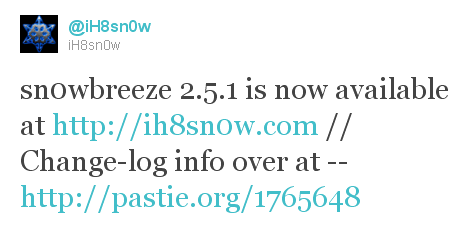
iH8sn0w updated their iOS 4.3.1 untethered jailbreak utility – released Sn0wBreeze 2.5.1.

They have added

Sn0wBreeze is used to create custom firmwares with jailbreak and preserve iPhone baseband. It is available for Windows only.

You can download Sn0wBreeze 2.5.1 here.

Here’ official changelog.

————————————————————————-
sn0wbreeze 2.5.1 Change-log:
————————————————————————-
* Cydia 1.1.1 is now pre-installed.
* iPhone 3GS users can now flash the iPad 06.15.00 baseband.
* Animate (Animated Boot Logos) by the Chronic Dev-Team is now supported.
* Added afc2
* Apple TV 2 is now fully supported.
* Added Apple TV 2 DFU Instructions.
* YouTube issues resolved on hacktivated devices.
* iPhone 3GS old-bootrom issues fixed (Error 37).
————————————————————————-
ULTRASN0W USERS:
————————————————————————-
There is a temp. fix available on Pushfix’s Cydia repo (http://cydia.pushfix.info)
for getting ultrasn0w to work on preserved basebands on 4.3.1.
[It does not fix the iPhone 4 single bar issue though!]
————————————————————————-

redsn0w rc101 RedSn0w 0.9.6 rc11 released

DevTeam released a new version of RedSn0w 0.9.6 rc10. Short after that they released a fix for that – RedSn0w 0.9.6 rc11.

DevTeam have added boot animation logo, removed some unnecessary settings, and fixed some bugs.

Everything else is the same – untethered jailbreak for iOS 4.3.1 for all devices and both Windows and Mac OS X users.

You can download the latest RedSn0w here.

Those running redsn0w may have noticed we enabled too many Settings options in some versions of the jailbreak (for instance, what you want your side switch to do, even if you have no side switch because you’re not using an iPad). Release rc10 of redsn0w corrects that (you can just run it over your existing jailbreak…be sure to de-select Cydia to avoid package conflicts).

Along the way, we’ve also added the option to enable boot animations…these animations can be installed via Cydia, but be sure to select which animation to use via the Settings->Bootlogo setting after you’ve downloaded an animation (and again, you can just run rc10 rc11 over your existing jailbreak…be sure to de-select Cydia to avoid package conflicts).

(The boot animation we tested against was “Android Boot Logo”. It correctly installs all the dependencies needed to run the animation at each boot).

redsn0w_0.9.6rc11: (rc11 makes the boot animation a bit more robust across all devices)

redsn0w rc111 RedSn0w 0.9.6 rc11 released

sn0wbreeze24b1 500x393 Sn0wBreeze 2.4: tethered jailbreak for iOS 4.3.1

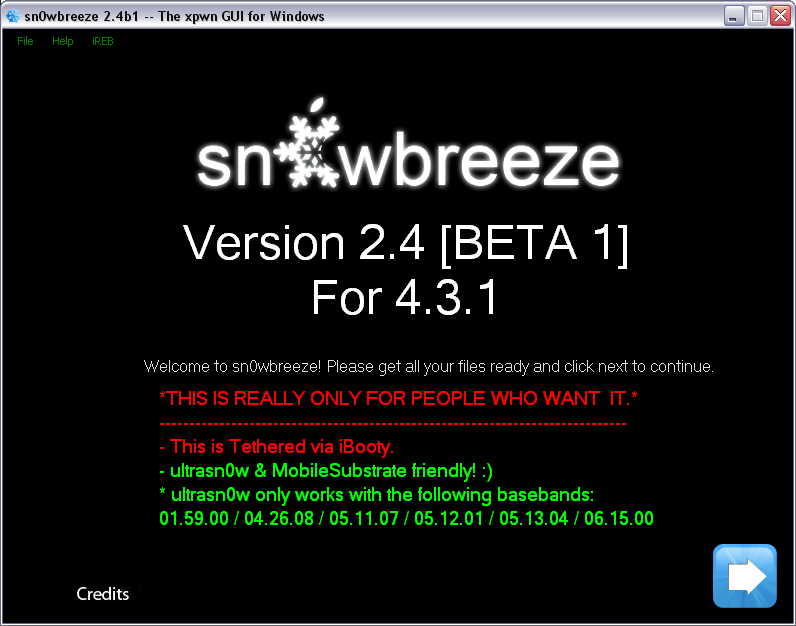
Hackers have released Sn0wBreeze 2.4 beta 1 utility, which is able to jailbreak the latest iOS 4.3.1. This jailbreak is tethered for iPhone 4, iPhone 3GS new bootrom, iPad, iPod Touch 3G, iPod Touch 4G. Tethered means that every reboot you will have to connect device to a computer and boot it using special utility (iBooty). Sn0wBreeze 2.4 beta 1 provides untethered jailbreak for iPhone 3GS old bootrom.

Sn0wbreeze also preserves your baseband, which is very useful for unlockers. Using Sn0wbreeze you can update firmware iOS 4.3.1, while preserve old unlockable baseband. It also works with iPhone 3GS with 06.15 baseband.

It is still beta, so there might be bugs so use at your own risk.

You can download Sn0wBreeze 2.4 beta 1 for Windows here.